I share practical insights and real-world applications in agentic AI for product growth, marketing, and CRM to help you and your network benefit from what works.
In my last session, where more than 400 people joined live to learn how to build no-code growth and marketing agents in Claude Code & Cowork, the chat moved faster than I could keep up with.
Afterward, I went back and read every message.
One thing stood out: the same questions kept coming up, from completely different people across different industries.
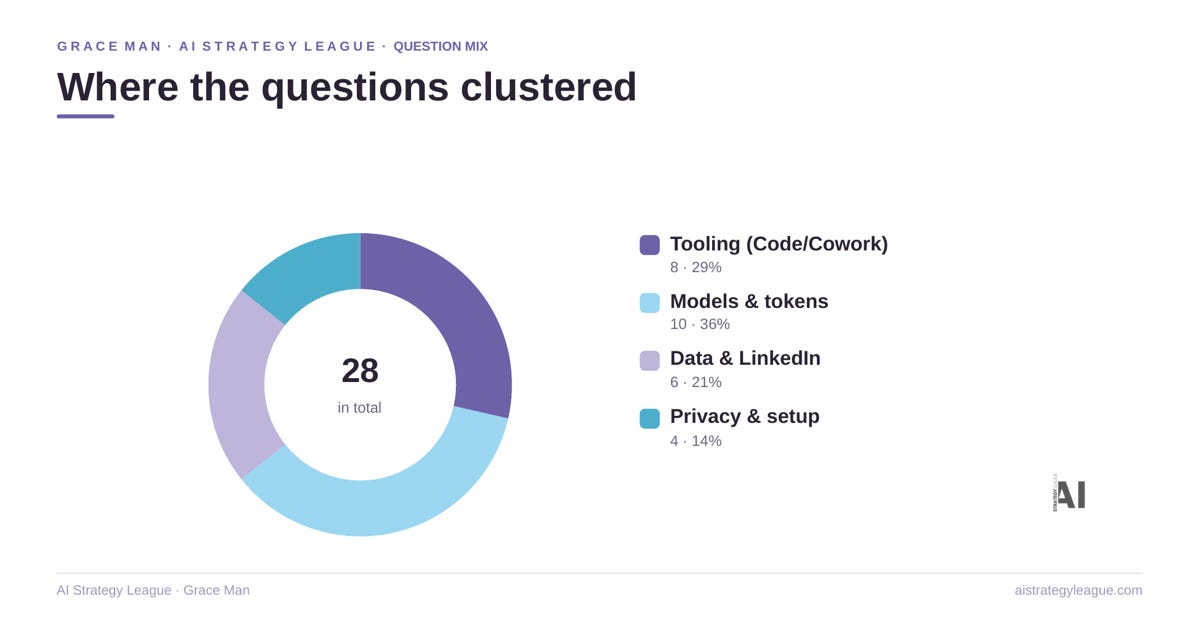
So I’m starting a Q&A series to share answers to some of the most common questions from the session. Here is Q&A Part 1.
1. Claude Code or Cowork. When do I use which?
This was the question of the session. It came up over and over.
Here is the simplest way to think about it. Cowork is the assistant. Code gets its hands dirty.
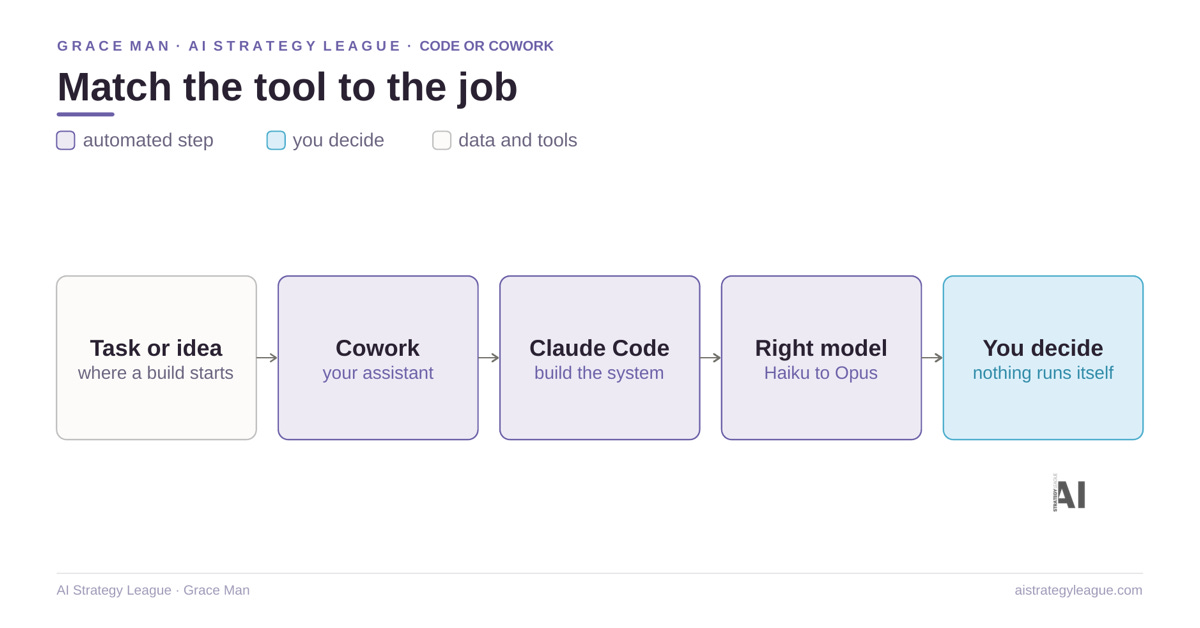
A simple rule of Cowork vs Claude Code
A one-off task you talk through like a person: Cowork.
A system you will reuse that does real work: Code.
Cowork
Use Cowork when you want a capable teammate to do a task for you.
Draft the weekly content brief.
Summarize five meetings.
Build a quick dashboard. It feels like delegating to a chief of staff.
Claude Code
Use Claude Code when you are building the machine itself.
The repeatable agent. The multi-step workflow.
The thing you want to run again next week without rebuilding it.
Code is more powerful, and far more token-efficient for anything complex.
The two work together
Cowork can hand the heavy building to Code.
Start in Cowork to feel it out. Move to Code when the task gets serious.
And remember the bigger point.
It is not about the tool. It is about the architecture and the workflow you design around it.
2. Which model, and which effort setting?
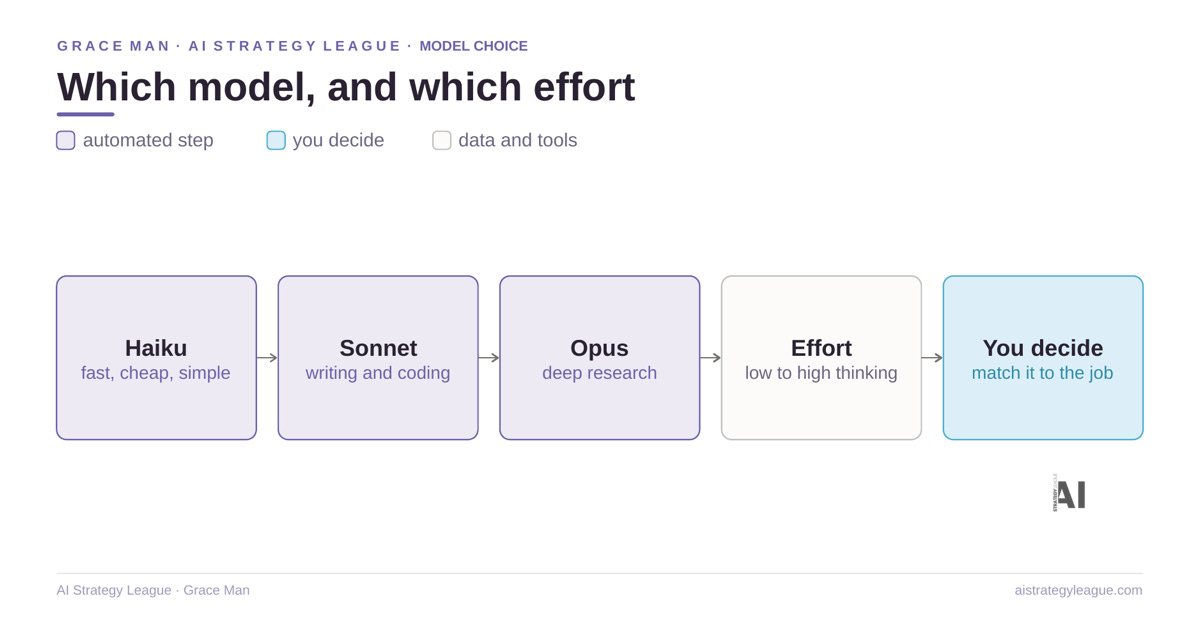
This came up a lot too. People saw me running a heavy model and wanted to know when that is worth it.
My rule of thumb
Haiku for fast, simple, high-volume work, quick summaries and lookups.
Sonnet for the daily building, writing and coding live here.
Opus for the hard problems, deep research and complex reasoning.
On the effort level
Think of it as how hard the model thinks before it answers.
Low is fine for fast, obvious tasks. High is for genuinely hard reasoning, where quality matters more than speed.
Running Opus on high for everything is expensive and usually overkill.
Match the model and the effort to the job.
Most of my work sits on both Opus and Sonnet at medium. I reach for Opus on high only when the problem earns it.
On temperature
You do not have a dial in these apps.
You get the same effect by asking.
Say be more casual, or stay precise and literal. That does the job.
3. Token anxiety. How do I stop running out?
Someone asked how to avoid token anxiety. It is a real thing. People build for hours, then watch a simple task eat a whole session.
A few honest points
Cowork uses your Claude subscription, not a separate API. It comes out of your normal account and lives inside the Claude desktop app.
Cowork is a token eater for complex work
This is the main reason people run out fast. Open-ended, complex tasks in Cowork burn through your allowance. The fix is the one above.
Explore in Cowork, but move anything heavy or repeatable into Code, which is far more efficient.
How to save the most tokens
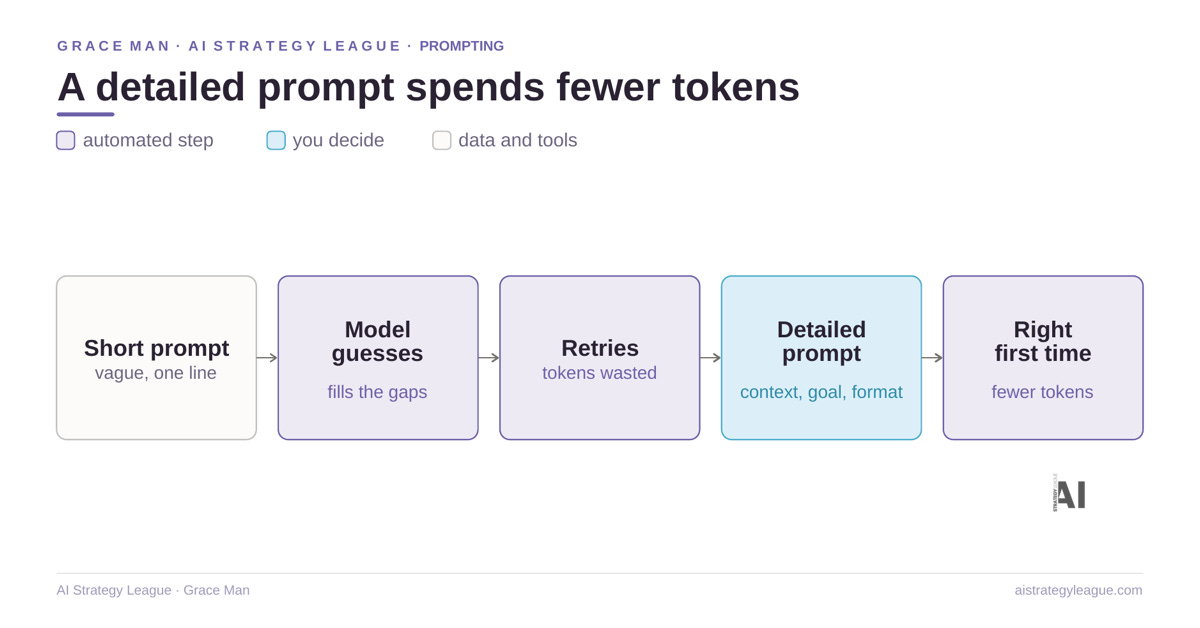
Here is the tip that saves the most tokens, and most people get it backwards.
Write a longer, detailed prompt. Not a one-line brief.
It feels like a short prompt is cheaper. It is not. When you throw a vague one-sentence brief at Claude, it has to guess what you mean, reason through the gaps, and often try two or three times.
That guessing is what burns tokens. A clear, detailed prompt, with the context, the goal, and the format you want, gets it right the first time. You spend a few more words up front to save a lot of thinking.
How I keep my own usage sane
Default to a lighter model, escalate only when the task needs it.
Write detailed prompts, so the model is not paying to interpret a vague one.
Build reusable agents in Code, so I am not re-spending tokens to redo the same work. Keep Cowork for genuinely conversational, one-shot tasks.
4. Is Pro enough? And is it enough for the cohort?
Yes. Pro is a good place to start and learn. You can do everything we teach.
The honest caveat: heavy Cowork use hits limits faster on Pro. So you will lean on Code sooner, which is the efficient option anyway.
For the workshop & cohort we run, Pro is enough to follow along and build.
5. The harder build question:
How do you build an agent on top of a Power BI data lake, when the data comes from several different tools, each sitting in its own silo?
A few of you asked sharper build questions. One deserves a proper answer.
Start with the principle. It is not about the tool. It is about the architecture.
Do not try to make Claude reach into Power BI live and reason over everything at once. That is slow, expensive, and messy.
Here is the workflow I would build:
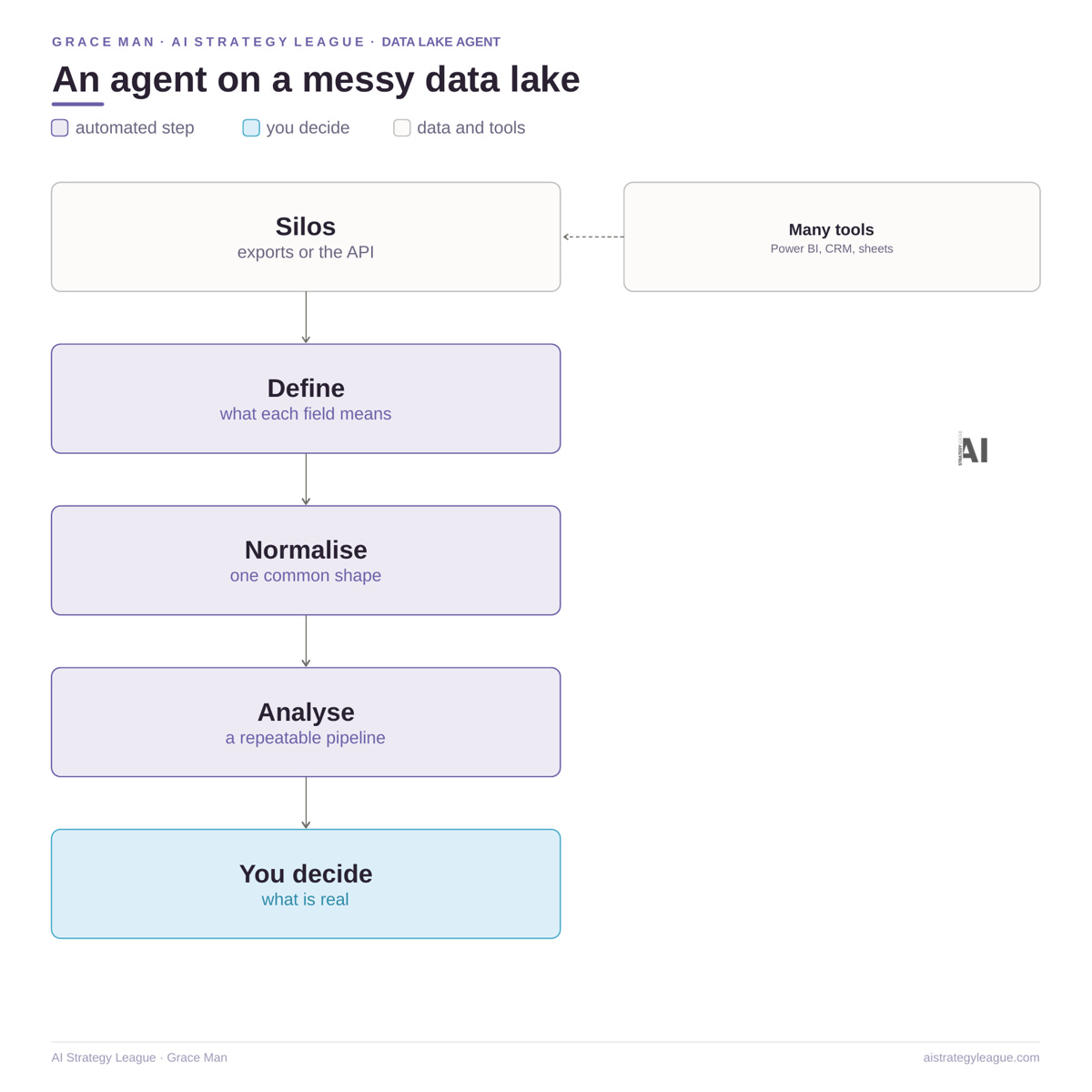
Get each silo into a clean, structured shape. Either export it as a file per source, or connect through the Power BI dataset API, or go to the database under the lake if there is one.
Define what each silo means in a context file. Name the fields. Say what one row represents. The agent should know the structure, not guess it.
Normalize everything to one common shape before any analysis. Same date format, same keys, one table.
Build it in Claude Code as a repeatable agent. Pull, normalize, then analyze. Not a one-off chat. A pipeline you run again next week.
Keep a human in the loop. The agent drafts the read. You decide what is real.
The honest caveat
There is no one-click Claude button for Power BI today. The realistic path is exports or the API, plus a clean data layer underneath. The agent is only as good as the structure you feed it.
The prompts, the agent templates, and the live build itself are what we do hands-on in the workshop. I would rather you leave able to write your own than copy mine.
6. How do you keep every agent on brand and in your voice?
This one is the foundation everything else sits on.
Before you build a single agent, you set up your context files. A few short documents: who you are, how you write, your brand, what you sell, and the rules every output must follow. Claude reads them before every brief, post, or DM, so the work comes back sounding like you and looking like you, without you fixing it each time.
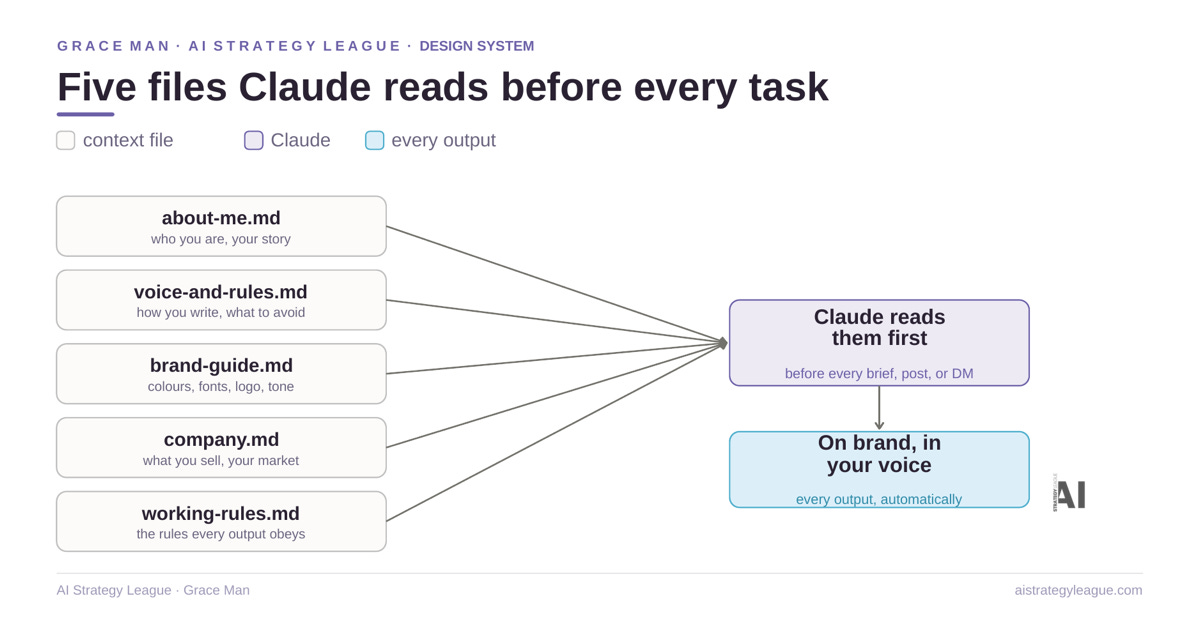
That is your design system. Set it up once, and every agent you build on top stays on brand and in your voice. Skip it, and you get generic AI that you spend hours editing back into shape.
This is exactly what we fully set up together in the upcoming workshop.
Before any agentic content and outreach workflow build, we get the right design system and brand guideline in place, the foundation every agent reads from, so everything you make after lands on brand and in your voice. You leave with yours built and ready to build on.
See you next time.
Grace Man,
Product Growth & Marketing Leader
Founder, AI Strategy League | Ex-Microsoft
If this was valuable for you and you like to support Grace | AI Strategy League:
⏩ Share it to someone in your network.
👋Say hi on LinkedIn. I always appreciate your feedback.